This now works really nicely now it’s only showing up where Movement data exists and not for single tracks.
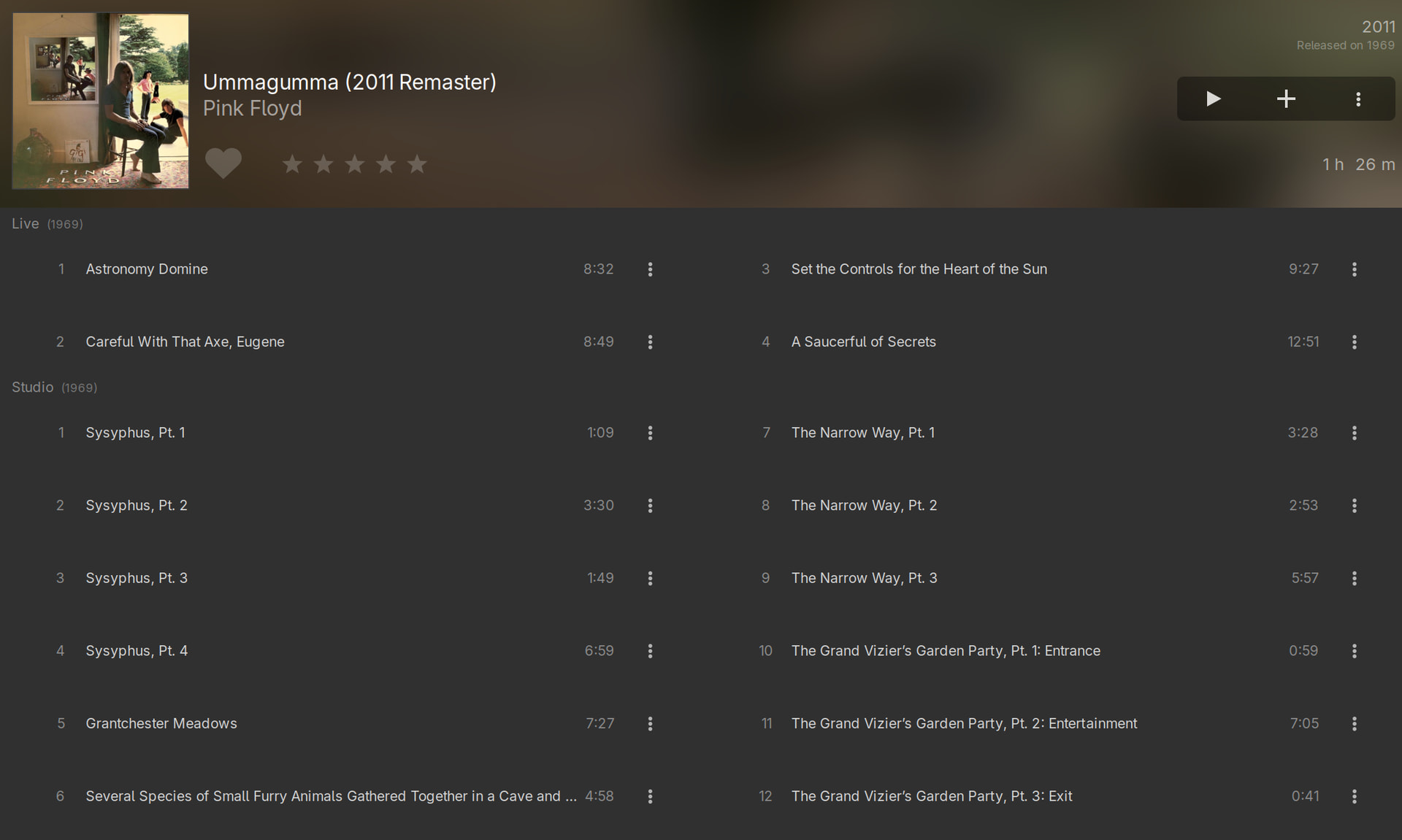
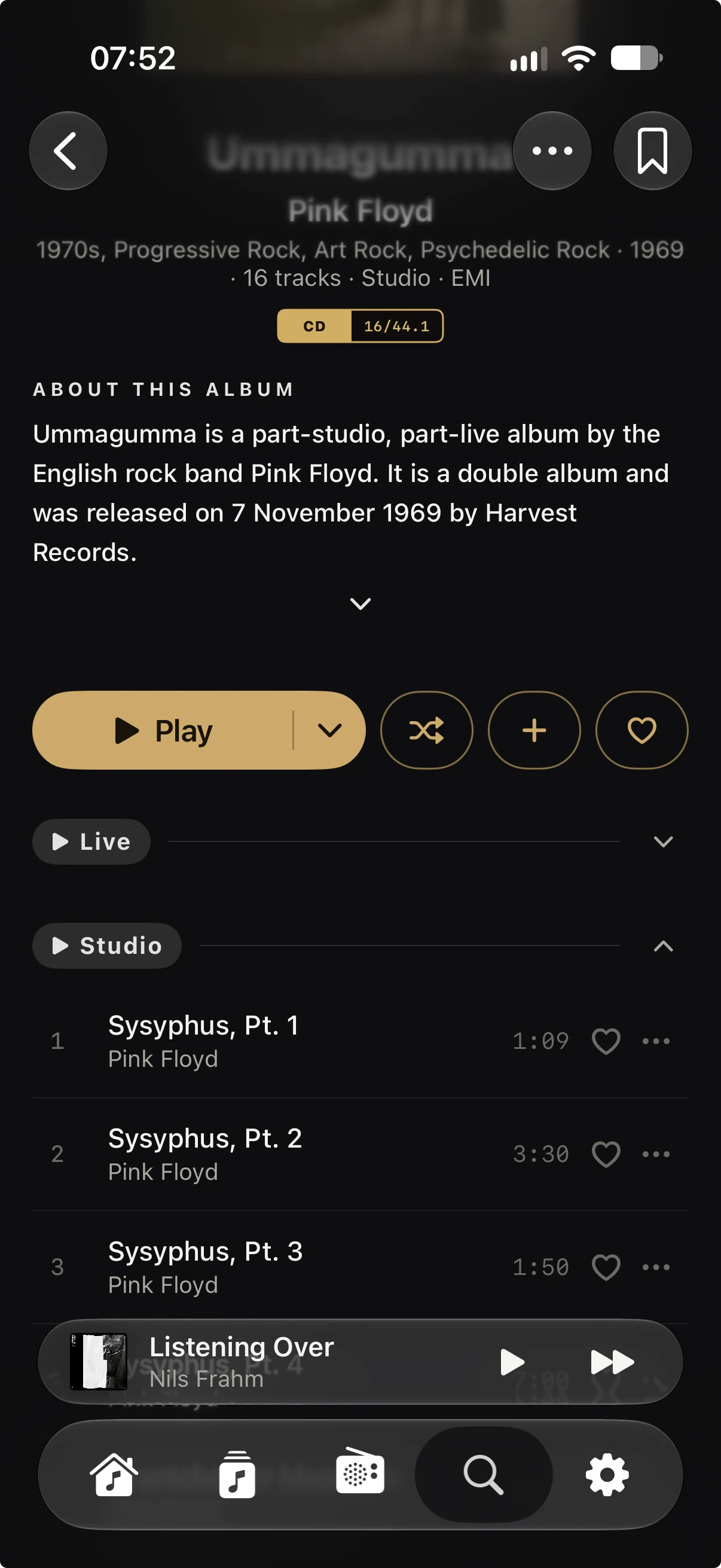
This layout would also be helpful for other album types where there are effectively movements and parts - Progressive Rock, Ambient Electronica and Neo-Classical has quite a lot of this - Take a look at the track list for Pink Floyd’s Studio Disc on the Ummagumma album, or the multipart piece “Domino” from Genesis’ Invisible Touch album as off the top of my head examples.
I have tried manually adding Movement data to the first of these but it didn’t do anything in the app.
1 Like
Interesting. I never knew other types of albums besides classical had this kind of grouping. I will look into it.
Thanks!
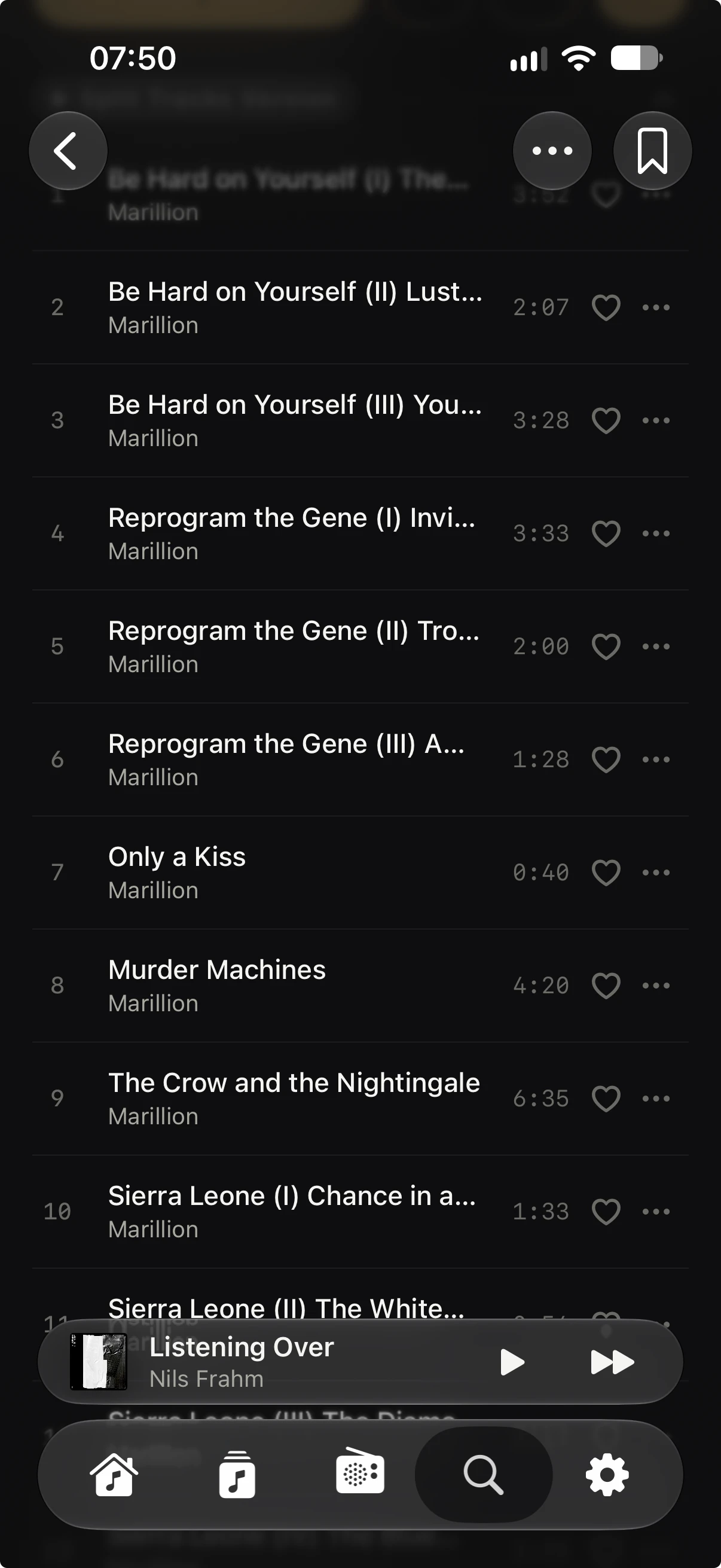
I can probably drag out a ton of examples - The digital version of Marillion’s An Hour Before it’s Dark or FEAR both have this.
It was common at the height of Prog era in the 70s and has really taken off again in recent years as it makes the streaming platforms have to pay more. It may be cynical but when your music is long form you get paid even less!
Here’s some examples - Pink Floyds Ummagumma and Marillion’s An Hour Before It’s Dark:
I have many more - often prog or prog adjacent stuff or neo-classical stuff that should probably work like this anyway as a classical subgenre but doesn’t, but occasionally the odd split part pop track appears too.
Hi @tiefling,
Thanks for the examples. This is already in the app since 1.1.2: an album of any genre is grouped into works on its album page, the same way as classical albums. I should have said so here when it shipped.
What creates the grouping is the WORK tag. Serento does not build these groups from MOVEMENT or from track titles like “Sysyphus, Pt. 1”, so MOVEMENT on its own changes nothing.
To make it work on Ummagumma:
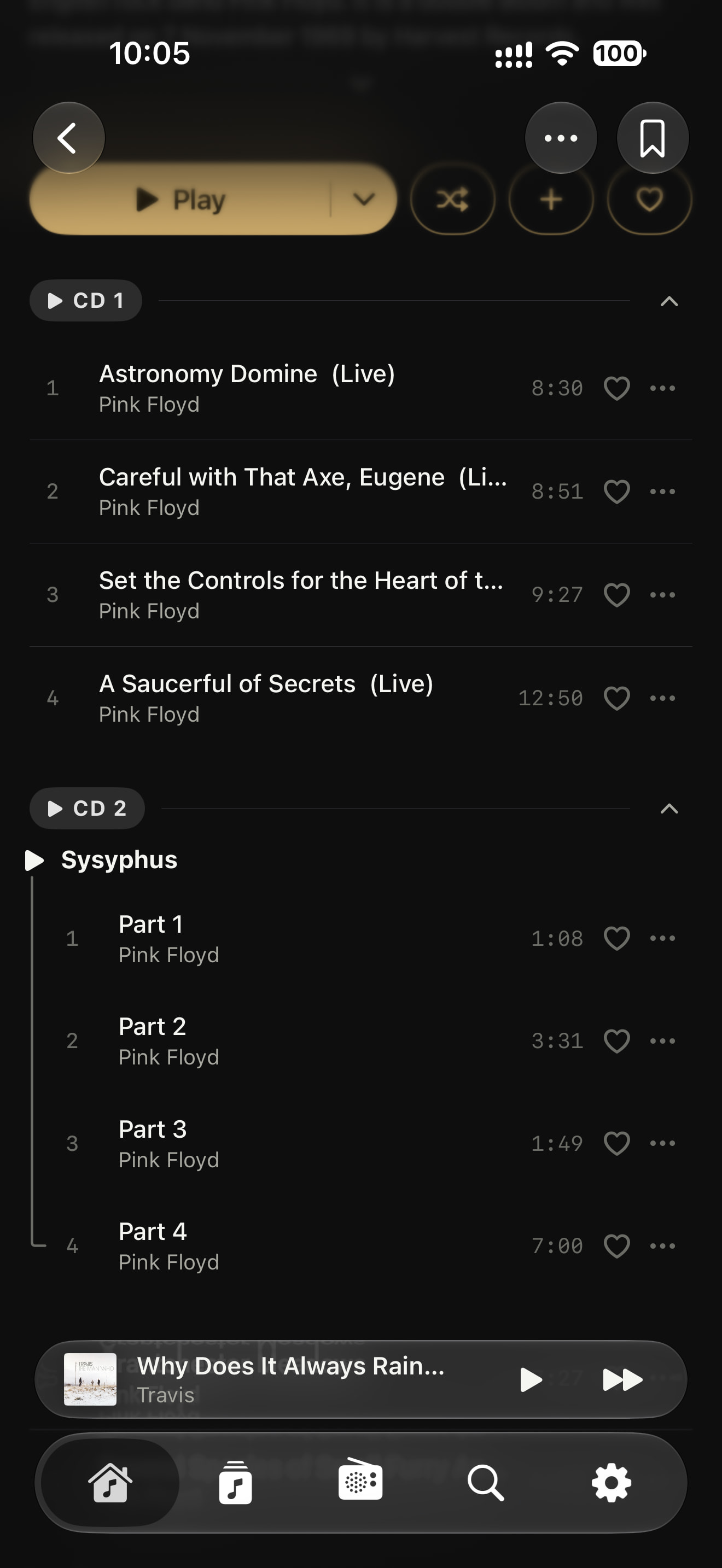
- Tracks 5 to 8: WORK=Sysyphus, and MOVEMENTNAME=Part 1, Part 2, Part 3, Part 4
- Tracks 11 to 13: WORK=The Narrow Way, and MOVEMENTNAME=Part 1, Part 2, Part 3
- Tracks 14 to 16: WORK=The Grand Vizier’s Garden Party, and MOVEMENTNAME=Entrance, Entertainment, Exit
On An Hour Before It’s Dark it’s the same: WORK=Be Hard on Yourself on its three tracks, WORK=Reprogram the Gene on its three, WORK=Sierra Leone on its parts, with each part’s name in MOVEMENTNAME.
A few rules:
- The WORK text must be the same on every track of the piece.
- The tracks must follow each other, at least two of them. A single track never gets a header.
- MOVEMENTNAME is what the rows under the header show. Without it, a row keeps its full track title.
- GROUPING is not read, so put the name in WORK.
MinimServer only passes these tags to Serento if Work and MovementName are in its itemTags property. You’ll find the full line under Settings › your server › How to configure. After you change the tags, rescan in MinimServer, then run Settings › your server › Sync Data › Sync now in Serento.
If the album is still a flat list after that, send me the tags of one track (metaflac --export-tags-to, like last time) and I’ll take a look.
Here’s how it looks on my end.
Lorin
Thisbisbgreat - Thanks @lorin.bute