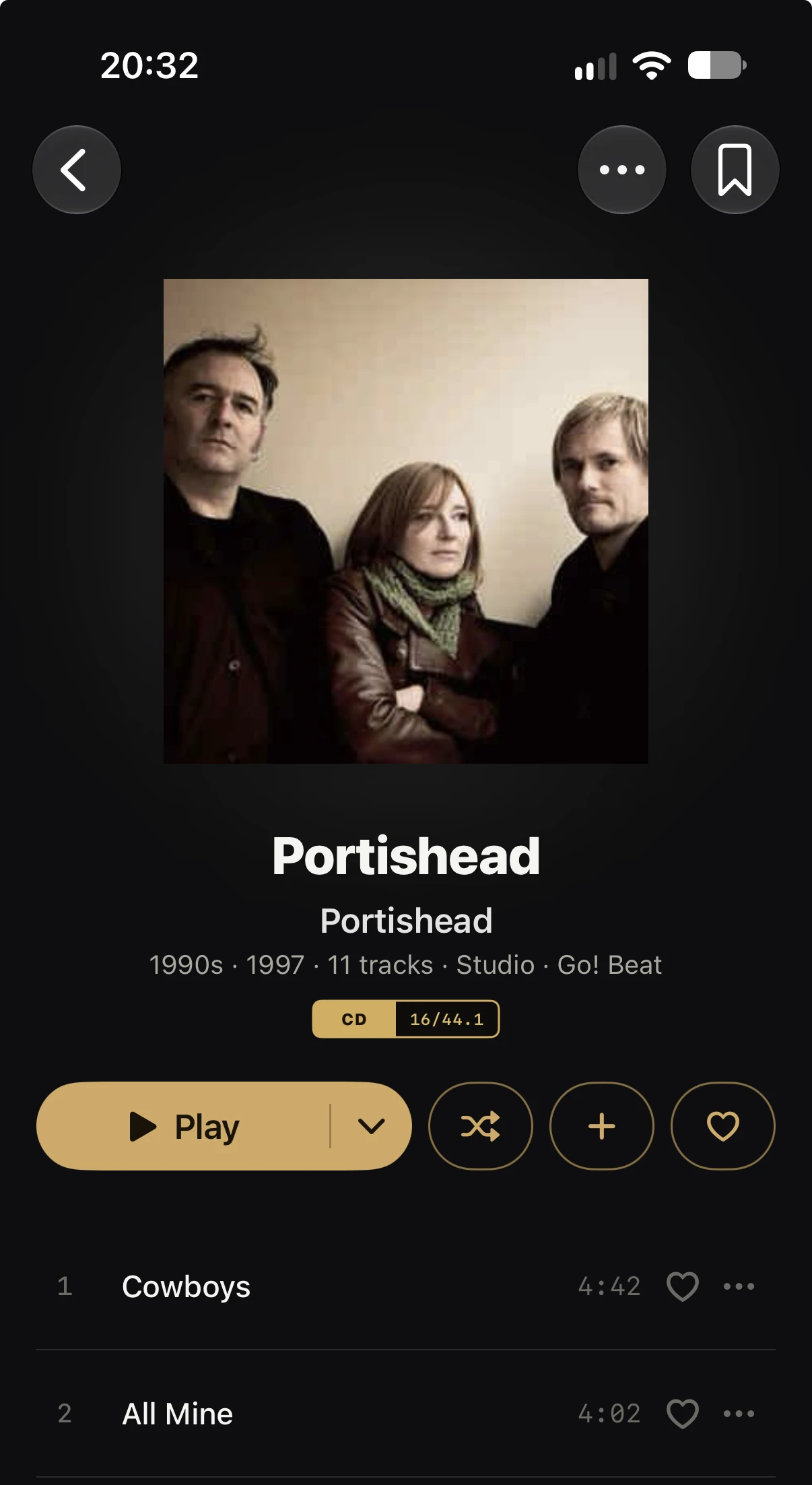
Is there an issue where the album name is the same as the artist name? This is Portishead, by Portishead and it seems to have used an artist photo instead of the album cover.
Hi @tiefling !
I checked and there is no way an album can get the artist image as cover. Not even if indexArtwork is set to auto.
Make sure the album has the correct image or the embedded image is the correct image.
Lorin.
The embedded image is fine - it looks like someone’s uploaded a bad image to MusicBrainz for the album though - does it pock up from there?
Album images are not downloaded from the MusicBrainz database. Serento is using only the images on your server or music files. If you ran a manual identification on the album and chose that image it could explain it, otherwise I don’t see how it is possible.
Lorin.
Weird - I’ll dig in for more info and report back
It looks like the embedded artwork is correct, but the folder has a bad folder.jpg in it - it also has a folder.png which is correct, but I’m guessing folder.jpg is trumping it all somewhere - probably on MinimServer.
I’m not sure this is fixed - while there was definitely a local issue my side, the files have all been fixed now, MinimServer rescanned and Serento re-synced several times - the bad album cover is still there and I winder if it’s some kind of caching issue in iCloud?
I’m seeing this on both my phone and iPad.
I fixed the cover in the end but in order to do so I had to use the “Identify album” feature in Serento and select a web match - then it was right. After resync the correct cover persisted. Prehaps the “Identify” section should have an option which is a re-query of the DLNA Server as well as the device and web results - that would probably work too (and some albums won’t be on the web)