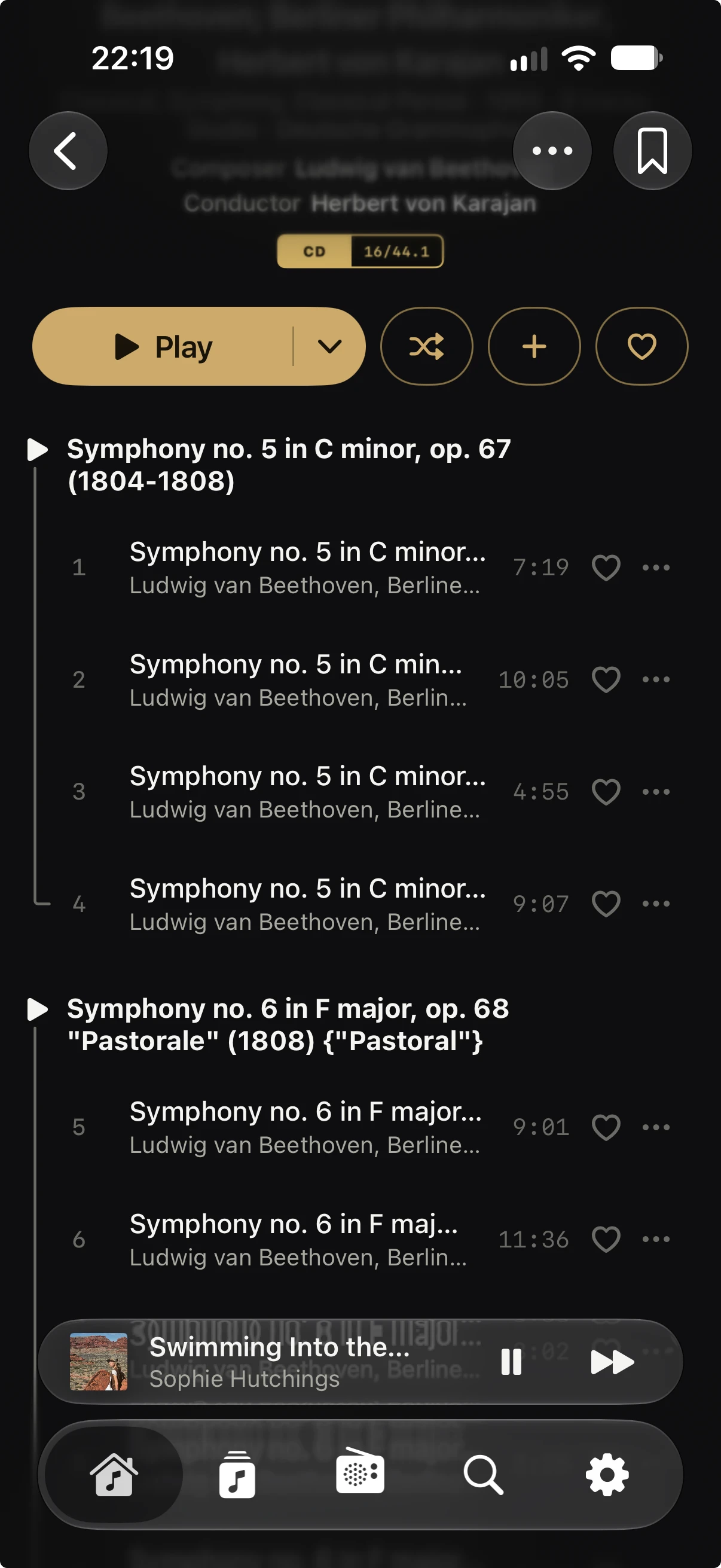
On my iPhone if I look at my Berlin Philharmonic Beethoven album, I see 2 groups for Symphony No 5 and 6, respectively - same with other Classical works of an age.
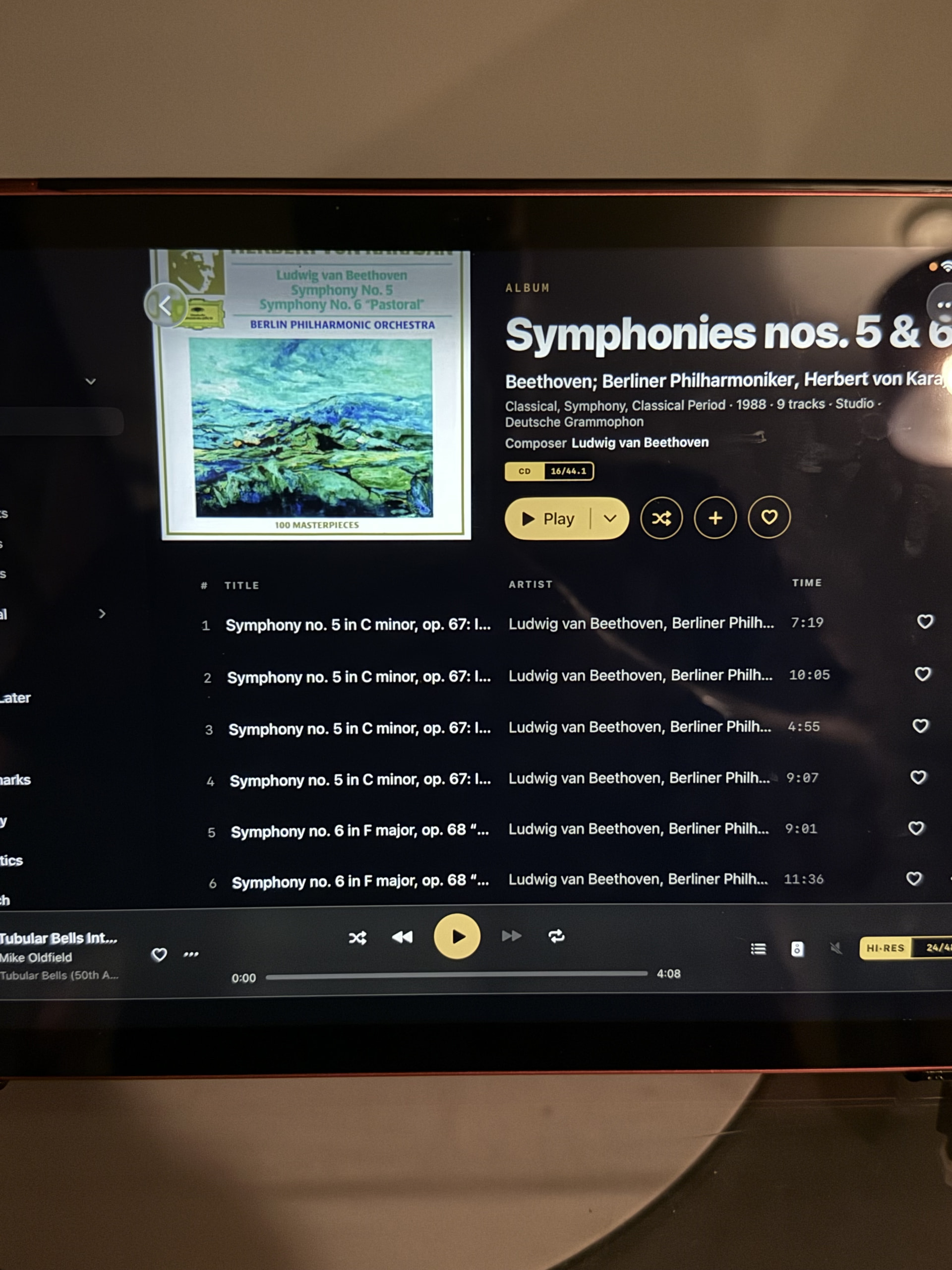
On my iPad I just see a list of 9 tracks.
Just to make sure there isn’t a version issue, can you check you are on the latest version (1.1.1) on the iPad?
Confirmed - Both devices are on 1.1.1.
To muddy the water further this is not consistent on all Classical albums - The above example is “Properly” tagged with Title / Work / Movement / etc etc
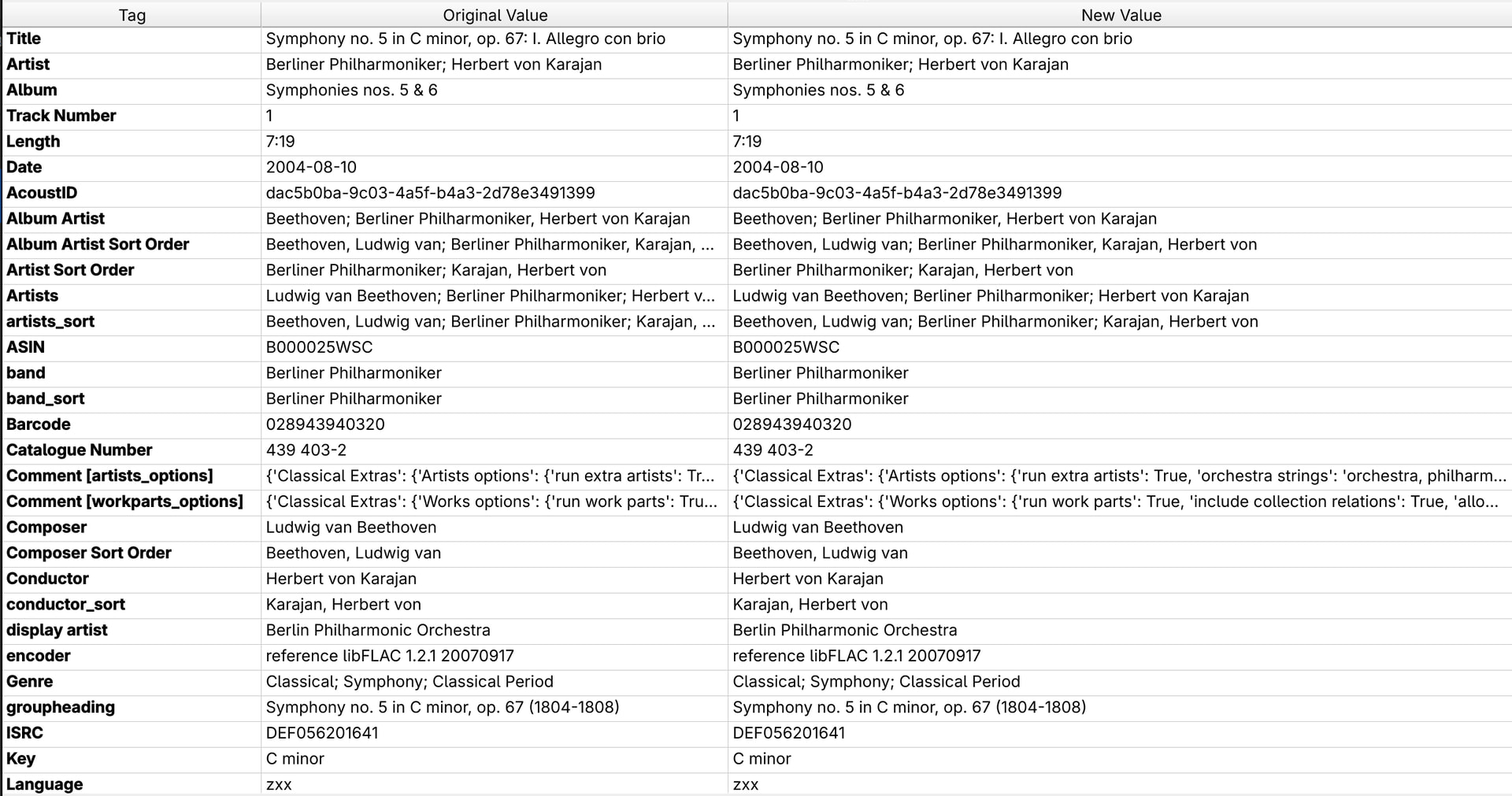
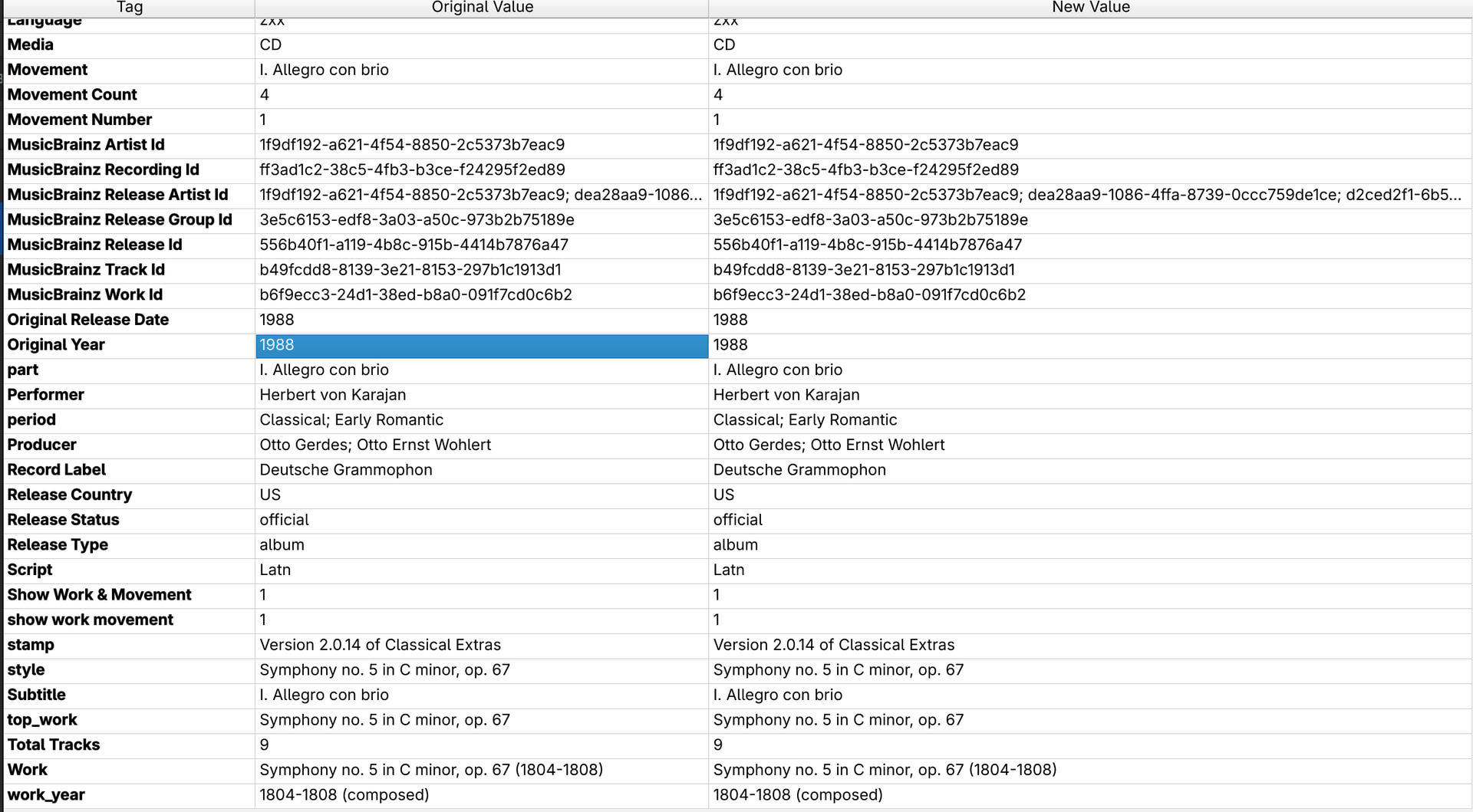
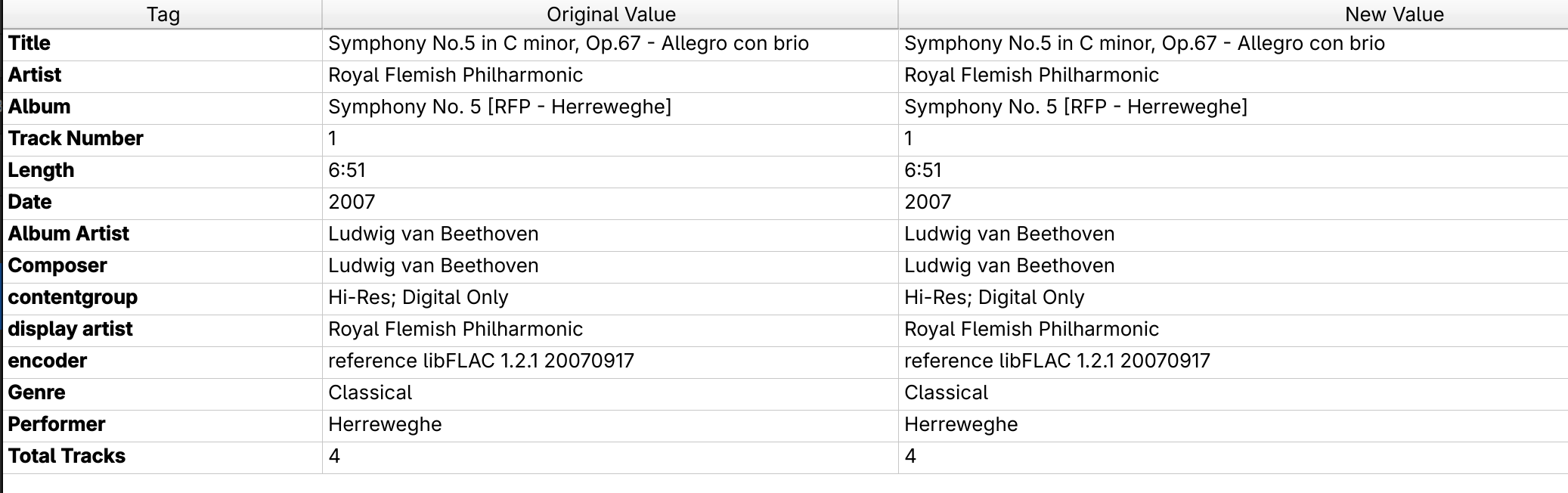
I have a less well tagged Beethoven Symphony with a different Orchestra which displays the same in both - Here’s some tag info if it helps:
This is the “Correctly” Tagged first movement of SYmphony No 5 shown above:
And the badly tagged Symphony that does display:
I am assuming that the app works out the grouping through some combination of Work and Movement and then falls back to analysis of the actual name. I don’t know if that helps pin it down at all.
@lorin.bute - I’ve got a present for you:
These tags don’t work - I’ve zipped up exported files of them here ( Koofr - Password required | password: 422634)
The zip file has 9 txt files which are the result of running: for i in *.flac; metaflac --export-tags-to="tags_{$i}.txt" $i; on the Beethoven album that shows the problem.
If you run this in reverse: FLAC - metaflac command line tool (metaflac --import-tags-from then you should be able to take some dumb flac files, import the tags, scan and repro.
@lorin.bute - This is weird.
I’ve just re-scanned on the iPad and I’m not seeing this issue in the same way. I wonder if this was some kind of Enrichment stage glitch from the last scan? The tags may be a red herring.
I’ve been re-scanning frequently trying to figure out how to get classical Works to group. I just re-scanned again after tweaking some bad tags on a different album and the Beethoven ones fixed themselves. The album I was trying to fix has now lost the group that was wrong from before completely (It was grouping 3 tracks instead of 2).
Hi @tiefling,
Thanks for the detailed report and the screenshots. They made this easy to trace.
What happened: Serento builds a classical index on each device. The index records which tracks belong to which work, and who the composer and conductor are. The album page reads its work headers and the Conductor line from that index.
On your iPad, the index was older than your library and had no entry for that album, so the page showed a flat list. The rescan rebuilt the index. That’s why everything came back, and also why the other album lost its wrong 3-track group.
The real problem: the index was only refreshed in some situations, for example a sync with Enrich Data turned on. So two devices with the same library could show the same album differently, depending on what each device had done before. That shouldn’t happen.
What changes in the next update:
Until then, a sync on the iPad, like the one you ran, brings it back in line.
Thanks again for reporting it!