Hi there,
I updated to 1.0.4 this afternoon and all seems fine except I don’t seem to be able to reorder items in playlists, anymore. I either start a track playing or ‘select’ it. I’ve tried across MacOS, and iOS on both phone and pad with no success. Am I just being dumb or is there a trick to it? Any help is much welcome.
Wil
Hi Wil.
The reorder has moved in the top right menu button “…”. The reason for this is that the multi select feature has taken over the long press gesture so you can’t have multi select and long press to reorder at the same time. Just press the … button on the top right and select reorder.
Hope this helps.
Lorin.
Thanks for the quick reply, Lorin.
I’d just found the ‘reorder’ option but, for me at least, it does nothing. It does stop the select but I still can’t move the track.
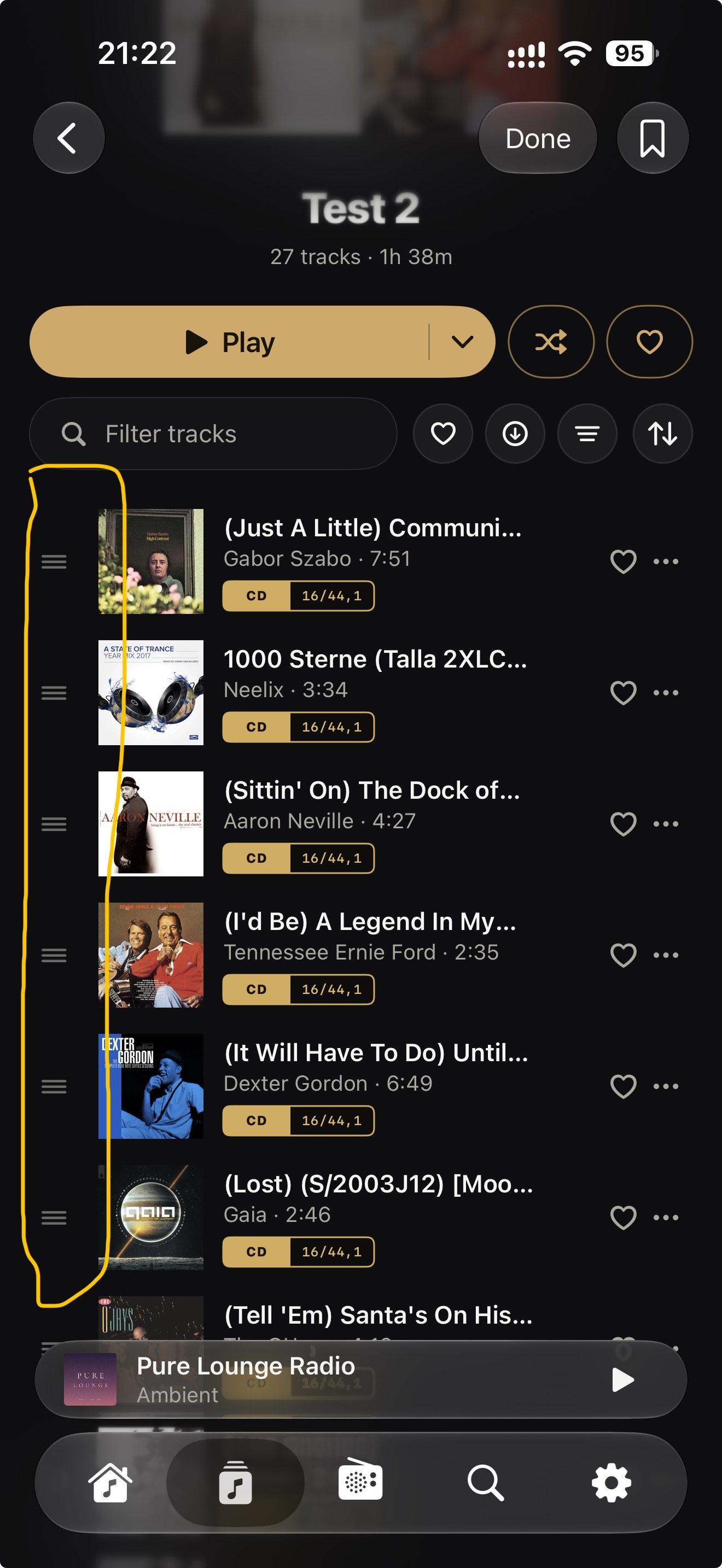
Are you dragging the grab handle or the track name? You need to drag the grab handle.
No, nothing. No drag handles. The list momentarily flashes but just stays the same.
I’m on 26.6.2 on the Mac, if that’s any help.
I’m also getting a strange effect on iOS where a number of playlists will disappear, until I re-sync. There doesn’t seem to be any rhyme or reason to it. Out of my 20 playlists it will maybe leave 3 or 4. It’s fine on the Mac, though.
Sorry to assail you with these problems. I am really enjoying using the app, honestly.
I’m sorry you are having issues with Serento.
I just tested on all my devices and I can’t seem to reproduce this. Some of my friends are able to reproduce it but only under certain conditions which are not very helpful. I will investigate this and come up with a fix as soon as possible.
Lorin
Hey Wil.
Just wanted to let you know that I’ve found the issue and already submitted the fix to Apple.
Look for version 1.0.7 in the App Store soon, once it gets approved.
Thanks for letting me know. Have a great weekend!
Lorin.
It actually works now in 1.0.6 so thank you! 